Digital Papers Seamless Patterns Set
If you’ve ever spent hours trying to tile a background without visible seams—or worse, watched your print project fall apart at the edges—you know how critical seamless patterns really are. The Digital Papers Seamless Patterns Set solves that problem decisively. It’s not just another collection of textures or repeats; it’s a precision-engineered toolkit built for creators who need reliability, flexibility, and professional-grade output—whether they’re designing a wedding invitation, branding a small business, or prepping classroom materials.
What Makes This Set Stand Out?
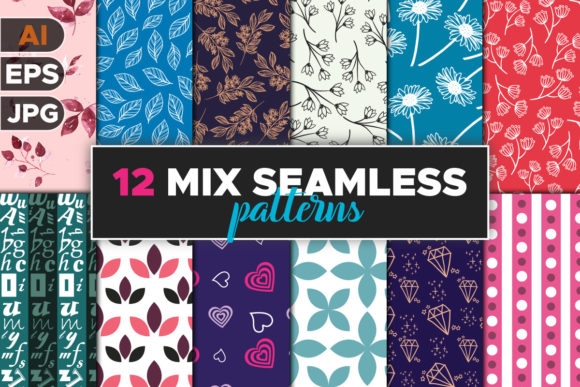
This isn’t a grab-bag of low-res JPEGs tossed into a folder. Every pattern in the Digital Papers Seamless Patterns Set is crafted to repeat flawlessly at any scale—no ghost lines, no misaligned edges, no pixelated frustration. Each design ships in three essential formats: high-resolution JPG (7500 × 7500 px), transparent-background PNG, and vector-based EPS files. That means you can drop a pattern into Photoshop for print work, layer it over social media graphics in Canva, or scale it infinitely in Illustrator for signage—all without quality loss.
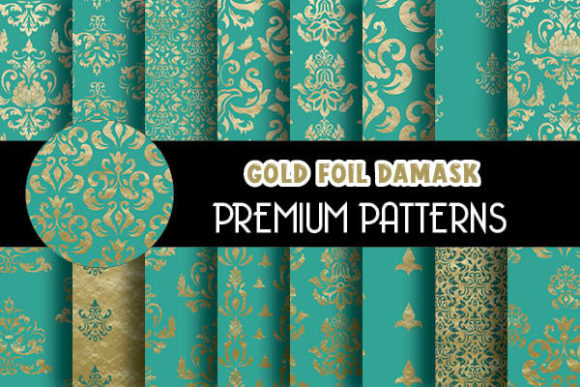
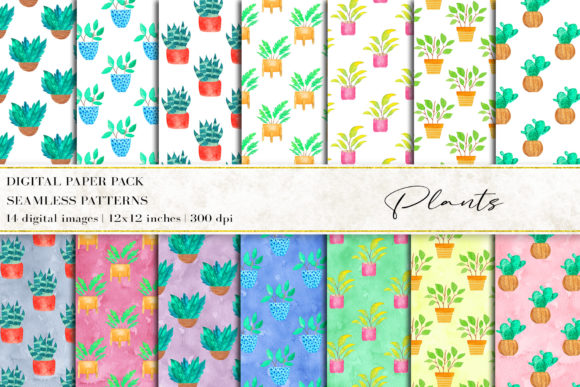
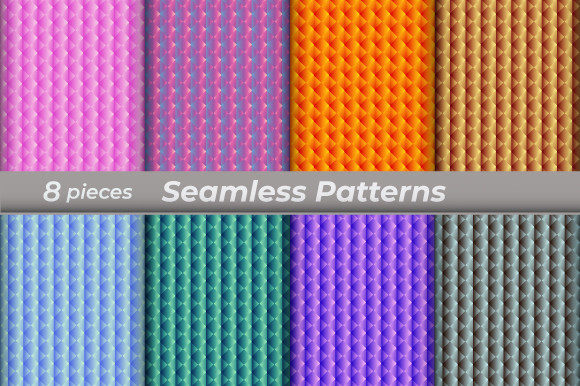
The set includes eight distinct digital papers, curated for versatility—not trend-chasing. You’ll find subtle linen weaves, soft geometric grids, organic watercolor washes, and modern tonal gradients. None are overly busy or dated. All are designed to support content, not compete with it. And because every file renders at true 300 dpi, what you see on screen translates cleanly to physical output—business cards, fabric prints, letterpress stationery, or large-format banners.
Real-World Uses Across Roles and Projects
Professionals don’t just “use” patterns—they leverage them as strategic assets. Here’s how the Digital Papers Seamless Patterns Set fits into actual workflows:
- Graphic designers use the EPS files to build custom swatch libraries in Adobe Creative Cloud—then apply them consistently across brand guidelines, pitch decks, and presentation templates.
- Small business owners layer the PNGs behind product photos for cohesive Instagram carousels or Etsy shop banners—no design degree required, just drag-and-drop precision.
- Teachers and educators print the JPGs onto cardstock for tactile learning tools: pattern-matching games, visual schedules, or sensory bins that hold up after repeated classroom use.
- Scrapbookers and cardmakers import the high-res files directly into Silhouette Studio or Cricut Design Space—scaling freely for layered die-cut backgrounds or printed vellum overlays.
- Bloggers and content creators use the seamless nature of these papers to generate consistent thumbnail backdrops across months of posts—building visual recognition without hiring a designer each time.
Why Format Variety Matters More Than You Think
It’s tempting to assume “one format fits all.” But in practice, that assumption costs time and quality. A JPG works fine for web banners—but fails when you need transparency for logo overlays. A PNG looks sharp on screen but blurs when enlarged for a trade show backdrop. An EPS file gives you infinite scalability—but isn’t supported in basic photo editors or mobile apps.
The Digital Papers Seamless Patterns Set bridges those gaps intentionally. Need to add a watermark or crop a section? Use the JPG. Building a multi-layered Canva template with drop shadows and text overlays? Reach for the PNG. Preparing artwork for a local print shop that requires vector-ready files? The EPS delivers. And because all files share identical dimensions and alignment logic, switching between them preserves layout integrity—no repositioning, no guesswork.
Practical Considerations Before You Start
Before diving in, keep a few real-world notes in mind:
- Check your software compatibility. Not all programs open EPS natively—especially on mobile or web-based platforms. If you primarily use Canva or PicMonkey, lean into the PNGs and JPGs first. Save EPS for Illustrator, Affinity Designer, or professional print prep.
- Respect resolution context. While 7500 × 7500 px covers most needs, avoid stretching beyond 24 inches at 300 dpi in print projects. For massive murals or vehicle wraps, confirm with your printer whether upsampling is advised—or if native vector scaling (via EPS) is preferred.
- Test before committing. Apply one pattern to a mock-up of your end use: paste it into a sample newsletter, print a 4×6 test card, or preview it full-screen on a phone. Seamless doesn’t always mean invisible—some repeats become noticeable at extreme zoom or under certain lighting. These files minimize that risk, but context still matters.
- Think beyond decoration. A subtle grid pattern can improve readability in PDF workbooks. A soft texture adds tactility to digital presentations viewed on tablets. A tonal repeat can unify mismatched stock photos in marketing emails. Let function guide your choice—not just aesthetics.
Who Benefits Most—and Why
This set shines brightest for people who juggle multiple output channels and lack dedicated design support. Freelancers pitching to clients appreciate having polished, ready-to-use assets that reinforce professionalism without extra revision rounds. Educators building digital lesson kits value the consistency and clarity across handouts, slides, and printable activities. Entrepreneurs launching a new product line rely on these papers to create cohesive packaging mock-ups, social ads, and email headers—all from a single, reliable source.
It’s also ideal for teams where design responsibility is shared. Marketing coordinators, office managers, and volunteer committee members can all access the same assets without stepping on each other’s edits—no version control headaches, no “which file is final?” confusion. Everything lives in one ZIP, clearly labeled and logically organized.
A Final Note on Long-Term Value
Unlike subscription-based asset libraries or single-use downloads, the Digital Papers Seamless Patterns Set is a one-time investment with lasting utility. You own the files outright—no expirations, no renewals, no usage caps. As your needs evolve—from crafting holiday cards to designing a Shopify theme—you’ll find new applications for the same eight papers. They don’t date quickly because they’re grounded in timeless structure, not fleeting trends.
And because they’re built to integrate smoothly into existing tools and processes, adoption is frictionless. No steep learning curve. No need to overhaul your workflow. Just unzip, open, and start creating—with confidence that the foundation is solid.