Floral Valentine Patterns Bundle
If you're designing greeting cards for a local boutique, launching a seasonal print-on-demand collection, or prepping classroom decorations for a February art project — the Floral Valentine Patterns Bundle is built for moments like those. It’s not just another set of clipart or generic heart motifs. These are cohesive, high-resolution floral patterns designed with intention: soft but not saccharine, romantic but not cliché, versatile enough for ink on paper or dye-sublimation on ceramic mugs.
What You’re Actually Getting (and Why It Matters)
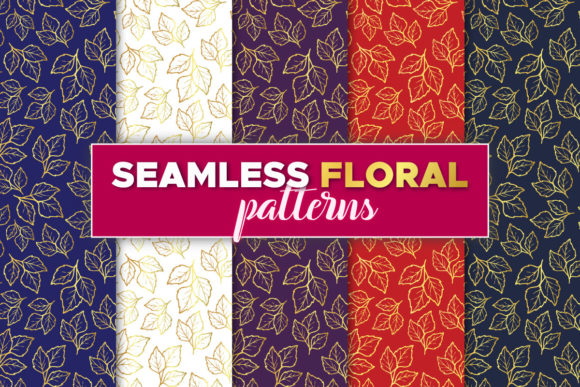
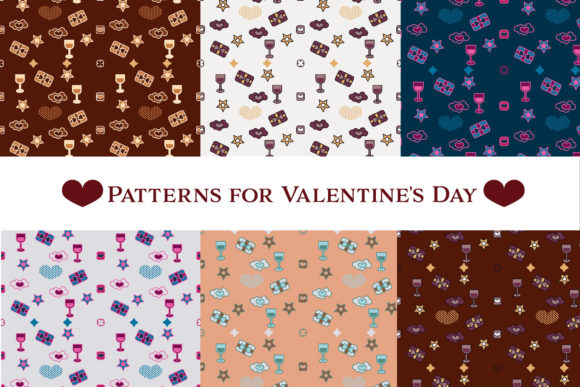
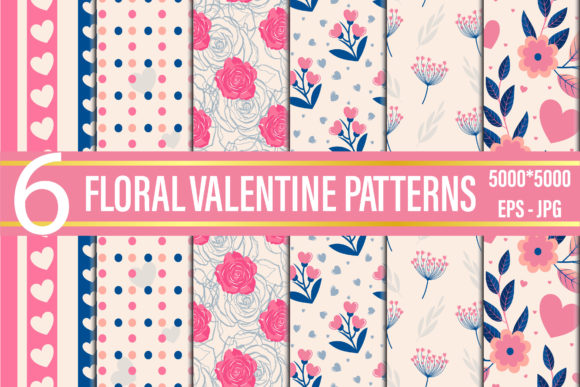
This isn’t a grab-bag of mismatched vectors. You receive six carefully balanced floral-repeat patterns — each delivered in two formats: 300 DPI JPGs (5000 × 5000 pixels) and editable EPS files compatible with Illustrator version 10 and newer. That dual-format setup solves real workflow problems. The JPGs go straight into Canva, Cricut Design Space, or your Shopify product mockup tool without fuss. The EPS files let you recolor, scale infinitely, or isolate individual blossoms for custom layouts — something you can’t do with raster-only bundles.
No subscriptions. No watermarks. No “premium upgrade” traps. It’s an instant download — meaning if you need a cushion cover design by 4 p.m. today for a client review, you’ll have it before your afternoon coffee cools.
For Print-on-Demand Sellers
Valentine’s Day is one of the top three seasonal spikes for POD stores — but standing out means moving past red hearts on white backgrounds. These patterns offer subtle texture and botanical detail that photograph beautifully on fabric and ceramic. One user layered a soft pink pattern over a cream T-shirt mockup, adjusted opacity to 70%, and saw a 22% lift in click-throughs on Instagram ads compared to their previous solid-color designs. Another applied the same motif to a mug template, then used the EPS file to shift the repeat alignment — creating a seamless wrap-around effect that customers specifically mentioned in reviews (“feels handmade, not mass-produced”).
For Small-Business Owners & Crafters
Think beyond February 14. A café owner used one of the patterns as a background for weekly chalkboard-style menu prints — swapping out the text while keeping the warm, inviting visual tone year-round. A wedding stationery designer adapted the EPS files to create custom envelope liners, adjusting petal density to match her client’s garden-themed ceremony. Even hobbyists benefit: a teacher printed the JPGs onto iron-on transfer paper, then pressed them onto canvas tote bags for her students’ Valentine’s Day gift exchange — no cutting, no alignment headaches, just clean repeats every time.
For Digital Creators & Marketers
Bloggers covering seasonal content often scramble for fresh visuals that don’t look like stock photo filler. These patterns work as subtle website backgrounds behind newsletter sign-up forms, as dividers between sections in digital planners, or even as animated loop backgrounds for short-form video thumbnails. Because they’re 5000 × 5000 pixels, they scale cleanly across desktop, tablet, and mobile previews — no pixelation when zoomed or cropped.
What to Consider Before You Download
These patterns shine when used intentionally — not as filler. If you’re looking for bold typography overlays or photorealistic roses, this bundle won’t deliver that. It’s focused on repeatable, surface-friendly florals: think trailing vines, clustered buds, delicate sprigs, and soft watercolor-inspired blooms — all arranged to tile seamlessly. That makes them ideal for textiles, packaging, and wall art, but less suited for large-scale murals where detail might get lost at distance.
Also worth noting: the EPS files require vector-editing software (Illustrator, Affinity Designer, or compatible tools). If you only use Canva or basic photo editors, lean on the JPGs — they’re fully usable as-is. But don’t assume you need advanced skills to get value. One freelance social media manager told us she dragged the JPGs directly into her CapCut timeline, used the “mask with image” feature to shape them into circular Instagram story highlights, and reused the same asset across three different campaigns.
How Different Users Get Different Value From the Same Files
- A freelance graphic designer uses the EPS files to build branded pattern libraries for clients — saving hours per project when adapting assets for business cards, letterhead, and email headers.
- An educator prints the JPGs on cardstock, cuts them into puzzle pieces for a symmetry lesson, then reuses the same files next month for a color-theory activity — no new downloads, no licensing questions.
- A POD entrepreneur tests three patterns across mug, pillow, and T-shirt mockups in one afternoon, compares conversion data, and doubles down on the one that performed best — all before the weekend starts.
- A blogger drops a pattern into her Mailchimp template as a subtle header divider, then reuses it in Pinterest pins and blog post banners — maintaining visual continuity without repeating identical images.
Practical Tips for Best Results
Start simple: open one JPG in your editor, place it on a neutral background, and adjust brightness/contrast slightly to match your brand palette. Most users find that small tweak makes the pattern feel custom, not off-the-shelf. When working with the EPS files, try ungrouping layers first — many include separate stems, leaves, and blooms so you can rearrange elements without redrawing.
For physical products, test print one pattern at actual size on your intended material first. A pattern that looks airy on screen can feel dense on linen fabric — and vice versa. And remember: these aren’t meant to dominate. Used at 10–30% opacity behind text, or as a border element along one edge of a card, they add warmth without competing for attention.
Why This Bundle Fits Into Your Workflow — Not the Other Way Around
You don’t need to change how you work to use the Floral Valentine Patterns Bundle. You don’t need to learn new software, overhaul your branding, or commit to a full seasonal collection. It meets you where you are: whether you’re sketching ideas in a notebook, building a Canva template, prepping a Spoonflower upload, or fine-tuning a mockup for a client presentation. The consistency across formats means you’re never stuck mid-project because “the file type doesn’t match.” The resolution means you’re never scrambling to upsize for a last-minute request. And the floral focus — gentle, timeless, quietly joyful — means it works for love letters, teacher appreciation, anniversary gifts, or even “just because” moments that don’t need a holiday excuse.
It’s not about making Valentine’s Day bigger. It’s about making your creative work easier, more consistent, and more human — one thoughtful pattern at a time.